
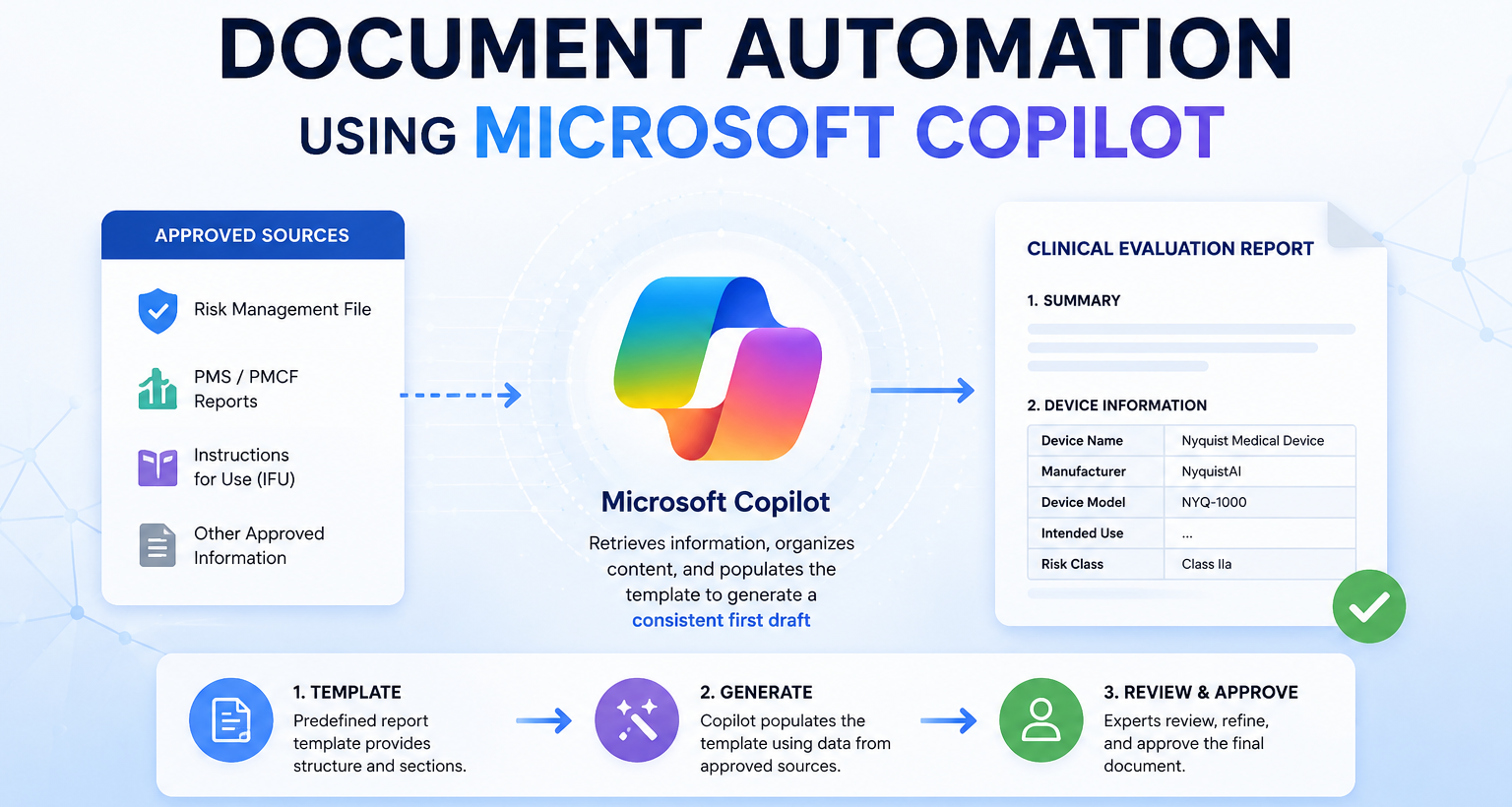
Preparing large regulatory documents, such as a Clinical Evaluation Report (CER), is often a manual and time-consuming process. Information must be gathered from multiple technical documents, copied into the correct sections of a template, and checked for accuracy. This repetitive work can take many hours and increase the risk of copy-and-paste errors, missing information, or inconsistent content.
Your team is already using Microsoft Copilot as part of your daily work. Because it is integrated into your existing Microsoft environment, there is no need to introduce a new platform or significantly change your current workflow.
By using Microsoft Copilot together with a structured document template, much of the repetitive document assembly process can be automated. Copilot can retrieve information from approved source documents, organize it into the appropriate sections, and generate a consistent first draft. This allows subject matter experts to focus on reviewing and refining the content instead of manually compiling it.
Since the solution is built on Microsoft Copilot, documents and source data remain within your organization's Microsoft environment. This allows you to leverage Microsoft's enterprise-grade security, access controls, and compliance capabilities while improving the efficiency of document creation.
Data Flow
The document generation process begins with two types of inputs:
- Approved sources, such as the Risk Management File, PMS/PMCF reports, Instructions for Use (IFU), and other approved information.
- Predefined report templates, which define the structure and required sections of the reports.
Microsoft Copilot uses the report template as the framework and retrieves relevant information from the approved data sources. It then organizes the content and populates the appropriate sections of the template to produce a consistent first draft of the report.
The generated document is reviewed by the document owner or subject matter expert to verify accuracy, make any necessary edits, and approve the final version. This approach reduces the manual effort required to compile large reports while keeping experts in control of the final content.
Live Example
The following example demonstrates how Microsoft Copilot can automate the creation of a template-based document using information retrieved from the NyquistAI database.
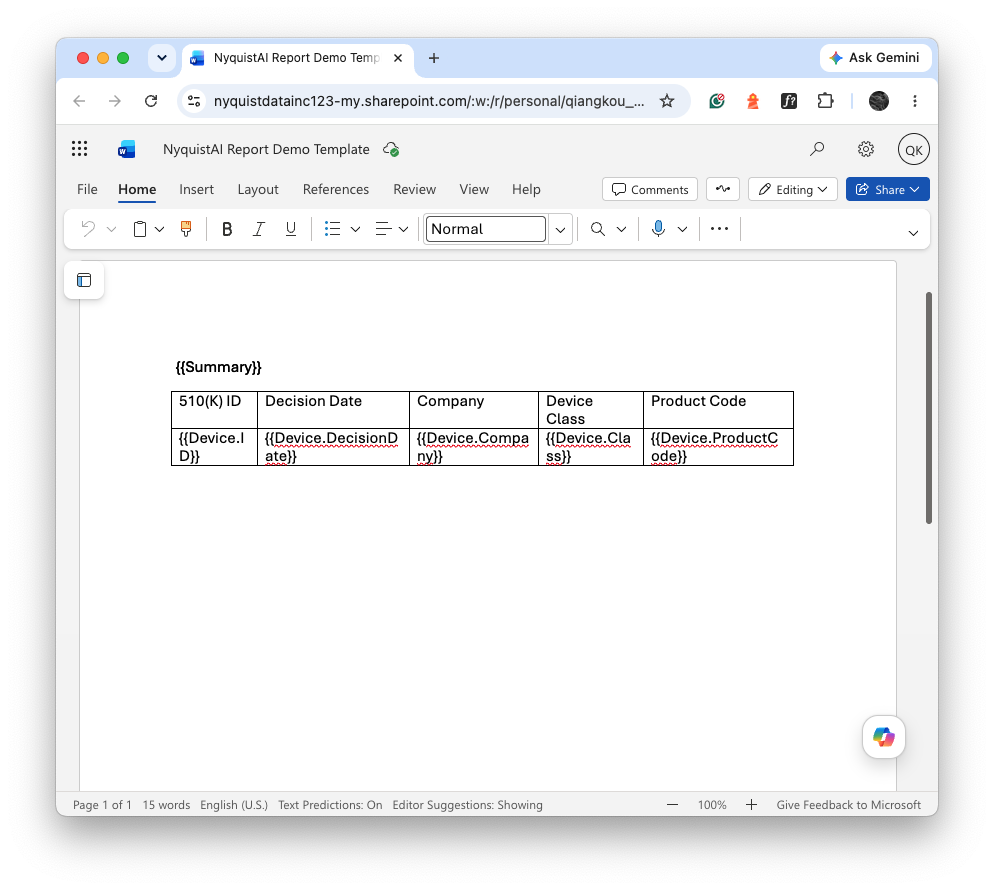
Step 1 – Provide the report template
The user starts with a predefined report template. In this example, the template contains a simple device information table following a summary section. The template defines the structure of the final document and the information that should be included.
Step 2 – Generate the report with Microsoft Copilot
The user invokes the custom Copilot agent with a natural-language prompt. The agent interprets the request, retrieves the required device information from the NyquistAI database, and populates the report according to the predefined template.
The generated report follows the same structure as the template while filling in the requested content with data retrieved from NyquistAI. Once generation is complete, the report is automatically saved to the user's OneDrive, making it immediately available for review and collaboration.
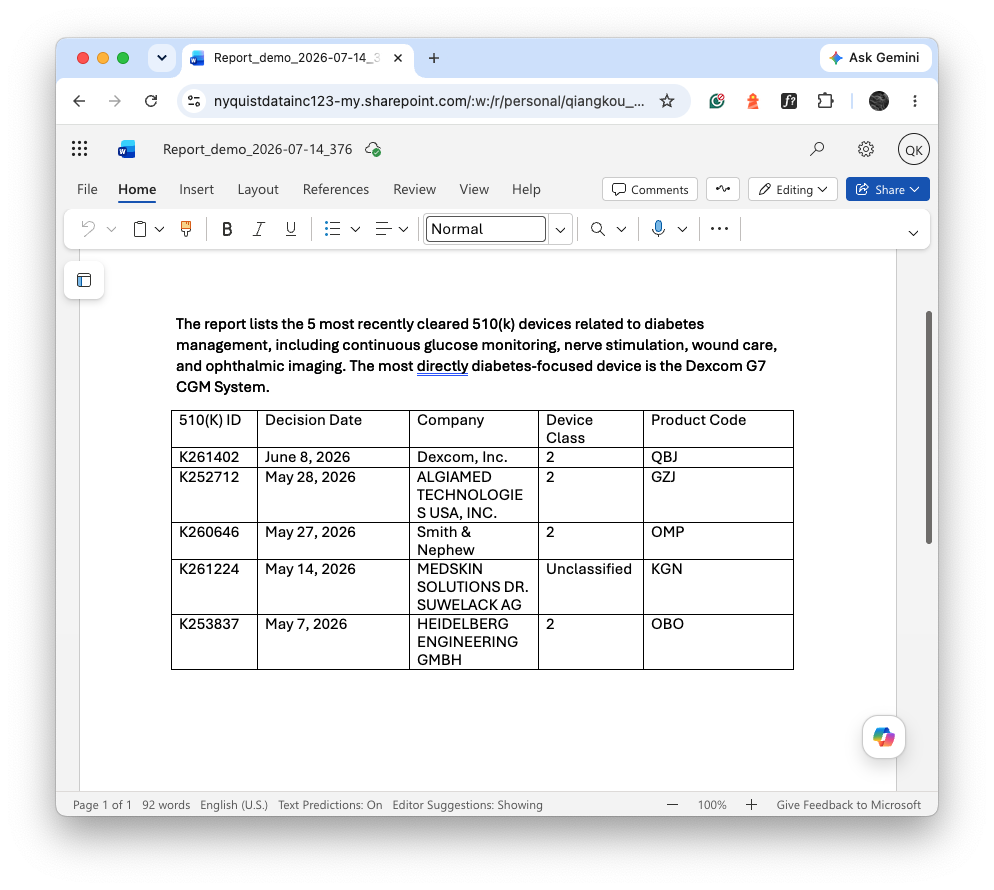
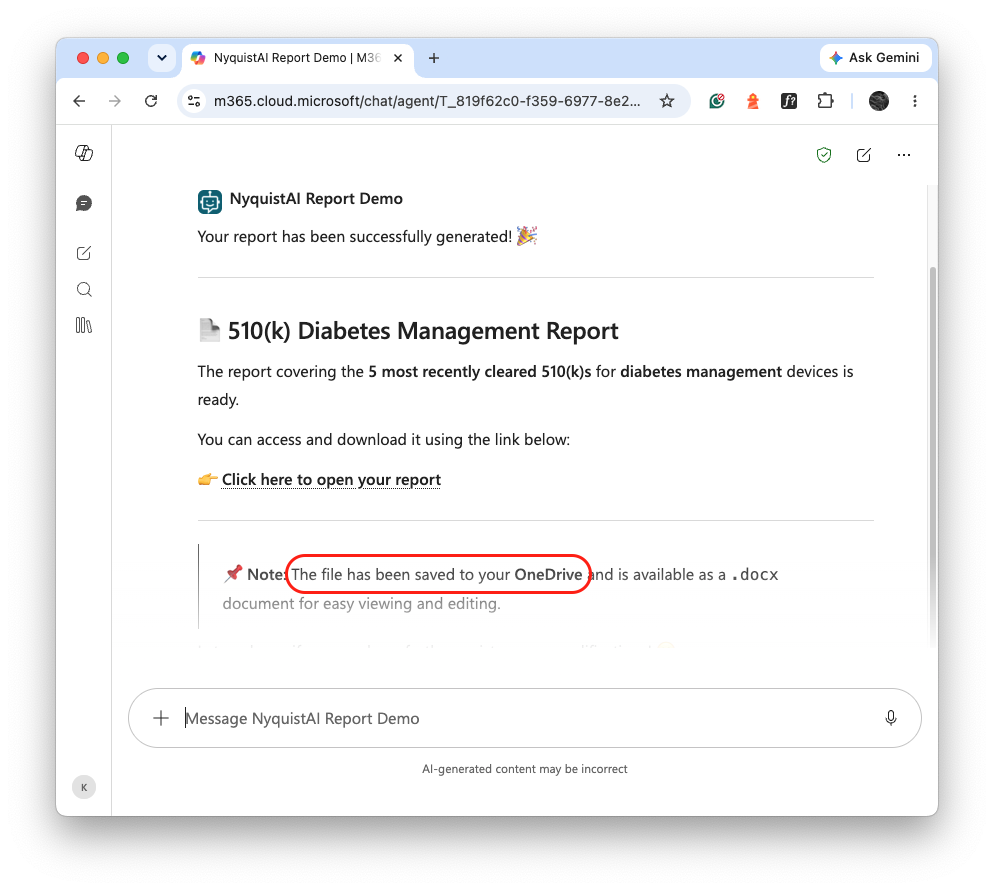
Throughout this workflow, the user interacts only with Microsoft Copilot. The generated document is created and stored within the Microsoft 365 environment, while the Copilot agent securely retrieves the required information from NyquistAI to populate the report. This provides a familiar user experience while allowing organizations to automate document generation without introducing a separate application or requiring users to leave the Microsoft ecosystem.
Conclusion
Microsoft Copilot provides a practical way to automate the creation of template-based documents without changing how users work today. By combining predefined document templates with trusted enterprise data sources, organizations can significantly reduce the time and effort required to compile large regulatory and technical reports.
Because Microsoft Copilot is already part of your Microsoft 365 environment, users can interact with the solution through a familiar interface using natural language. The generated documents follow a consistent structure, helping improve efficiency while reducing the risk of manual copy-and-paste errors.
This approach is not limited to Clinical Evaluation Reports. The same workflow can be applied to many other document types, such as regulatory submissions, quality reports, and internal business documents that follow a standard template.
As additional data sources and templates are connected, the solution can be expanded to automate a broader range of document generation tasks, allowing your team to spend less time assembling documents and more time reviewing, validating, and delivering high-quality content.