For the Microsoft Admin
- Go to https://admin.cloud.microsoft/
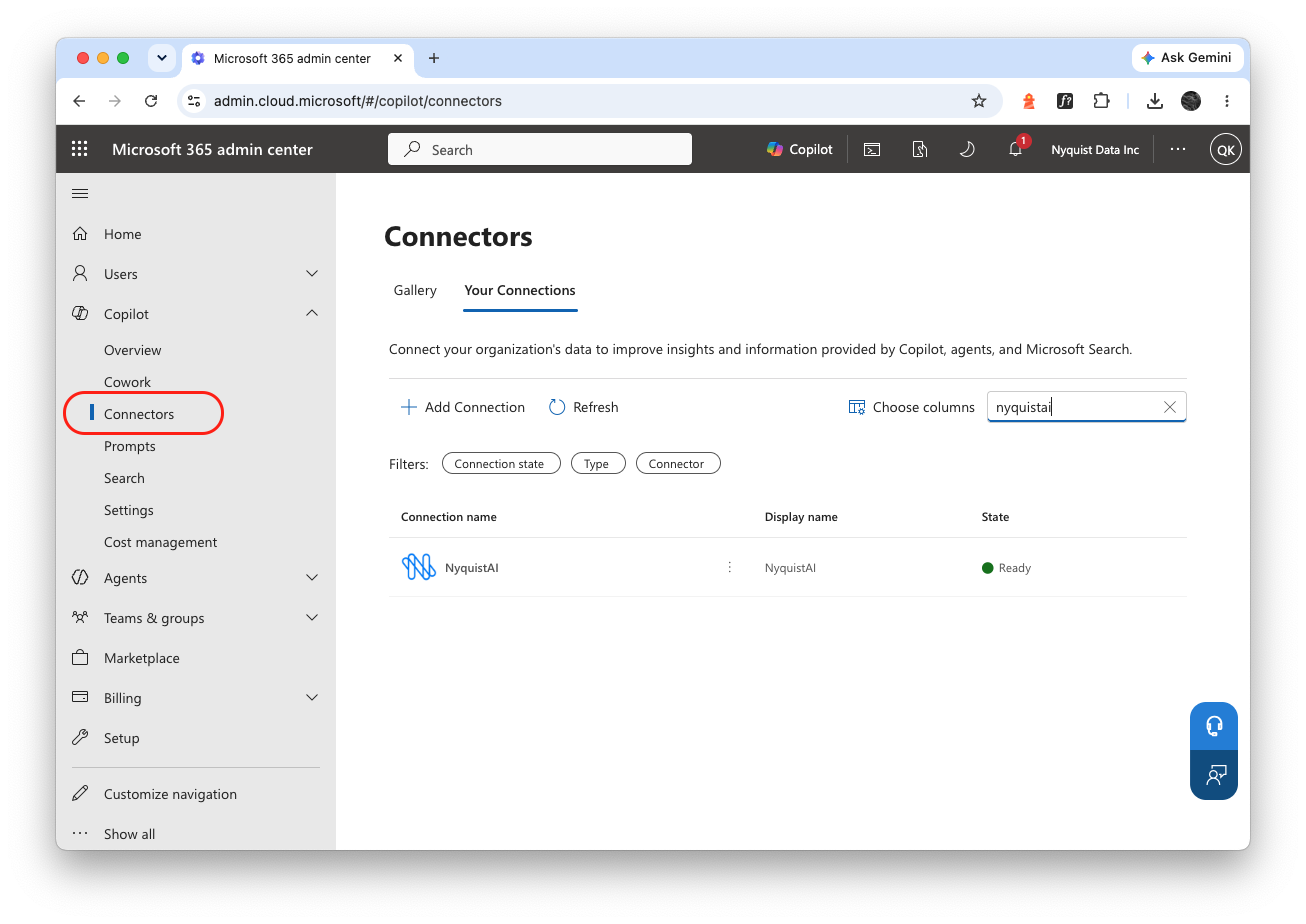
- On the left panel, go to Copilot -> Connectors. You can find our connector by searching "NyquistAI".
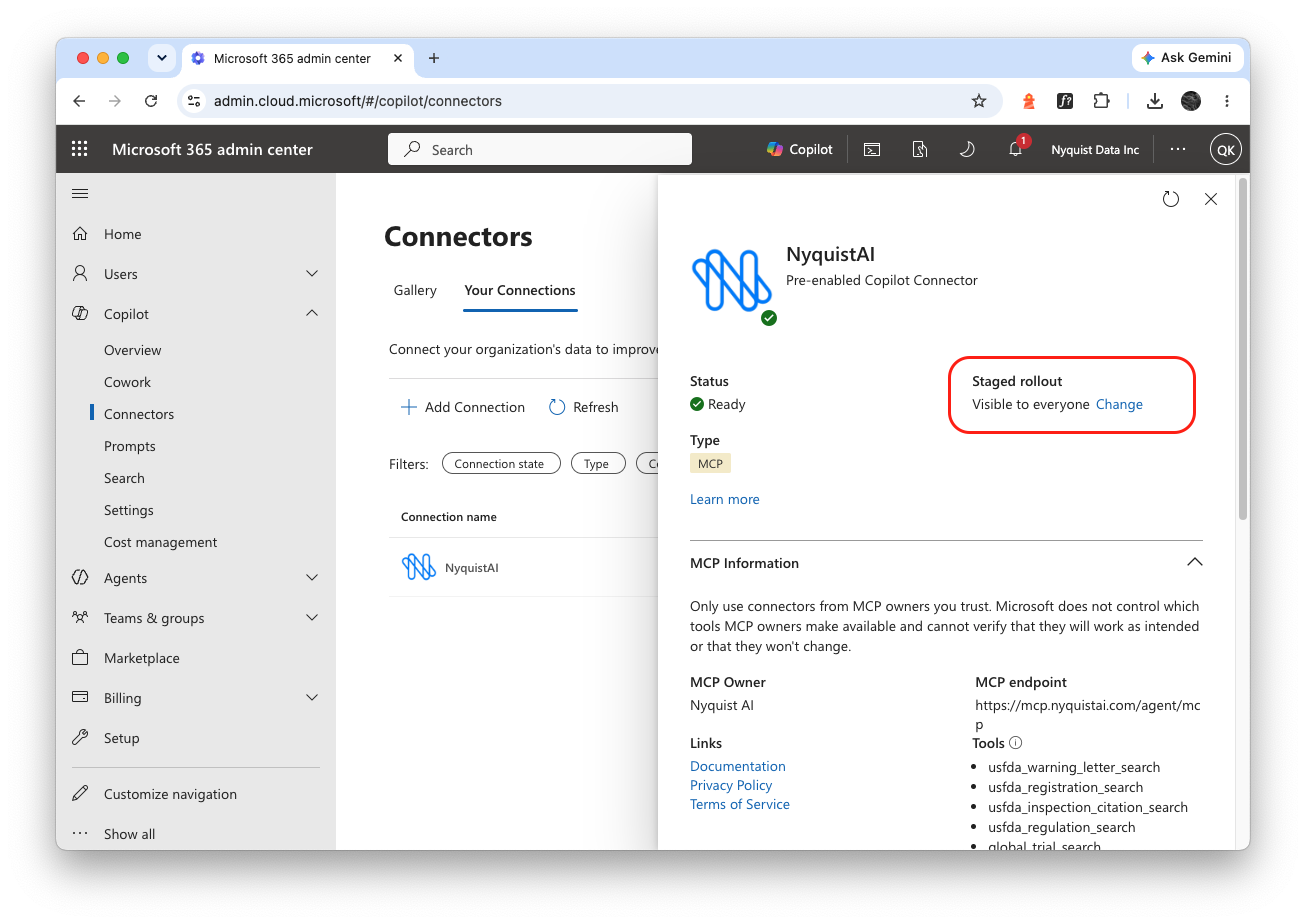
- Click the "NyquistAI" connector to view its details. You can manage who has access to this connector.
For Copilot Users:
- Go to http://office.com/chat
- Click the + icon in the prompt composer and Change data sources
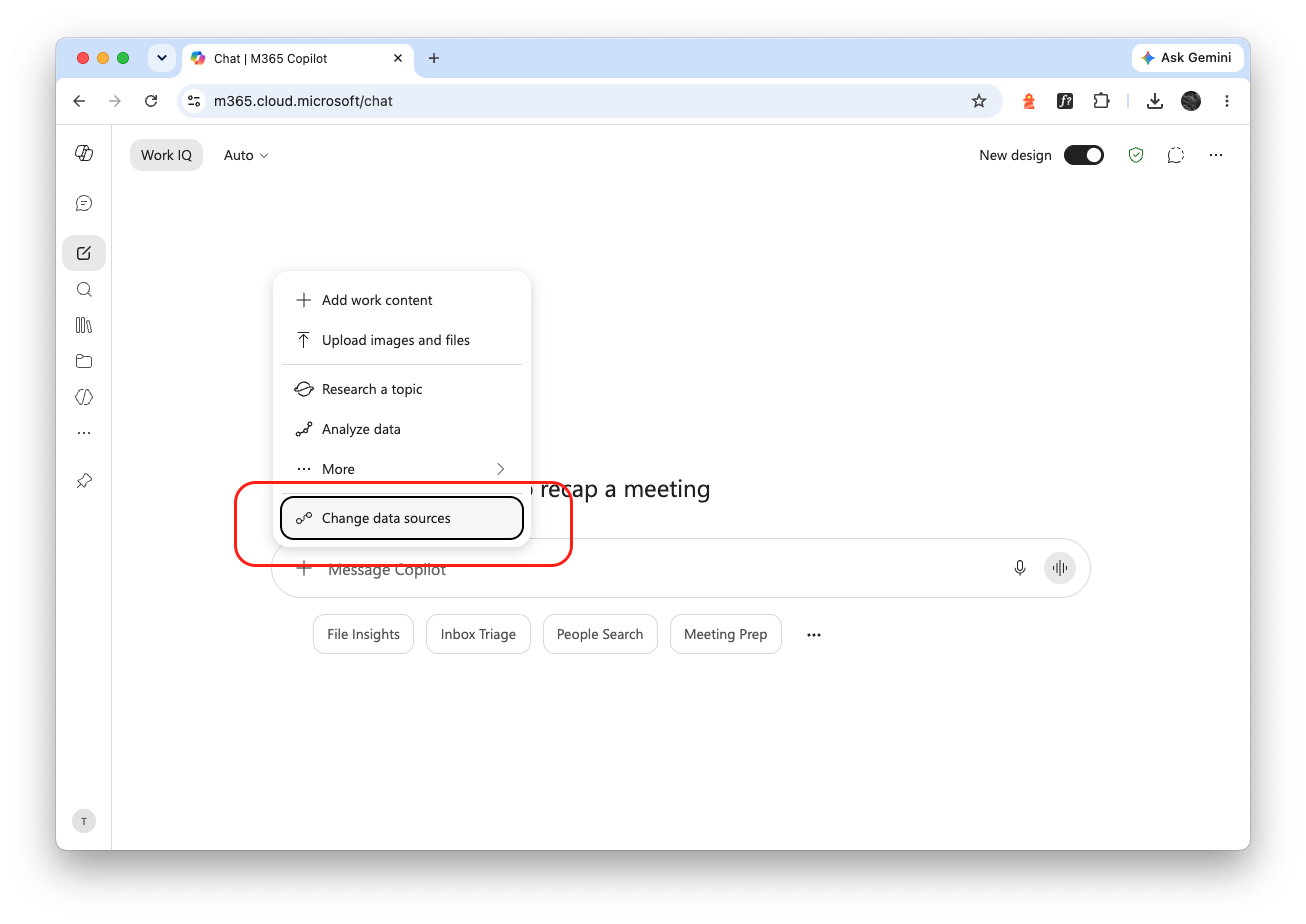
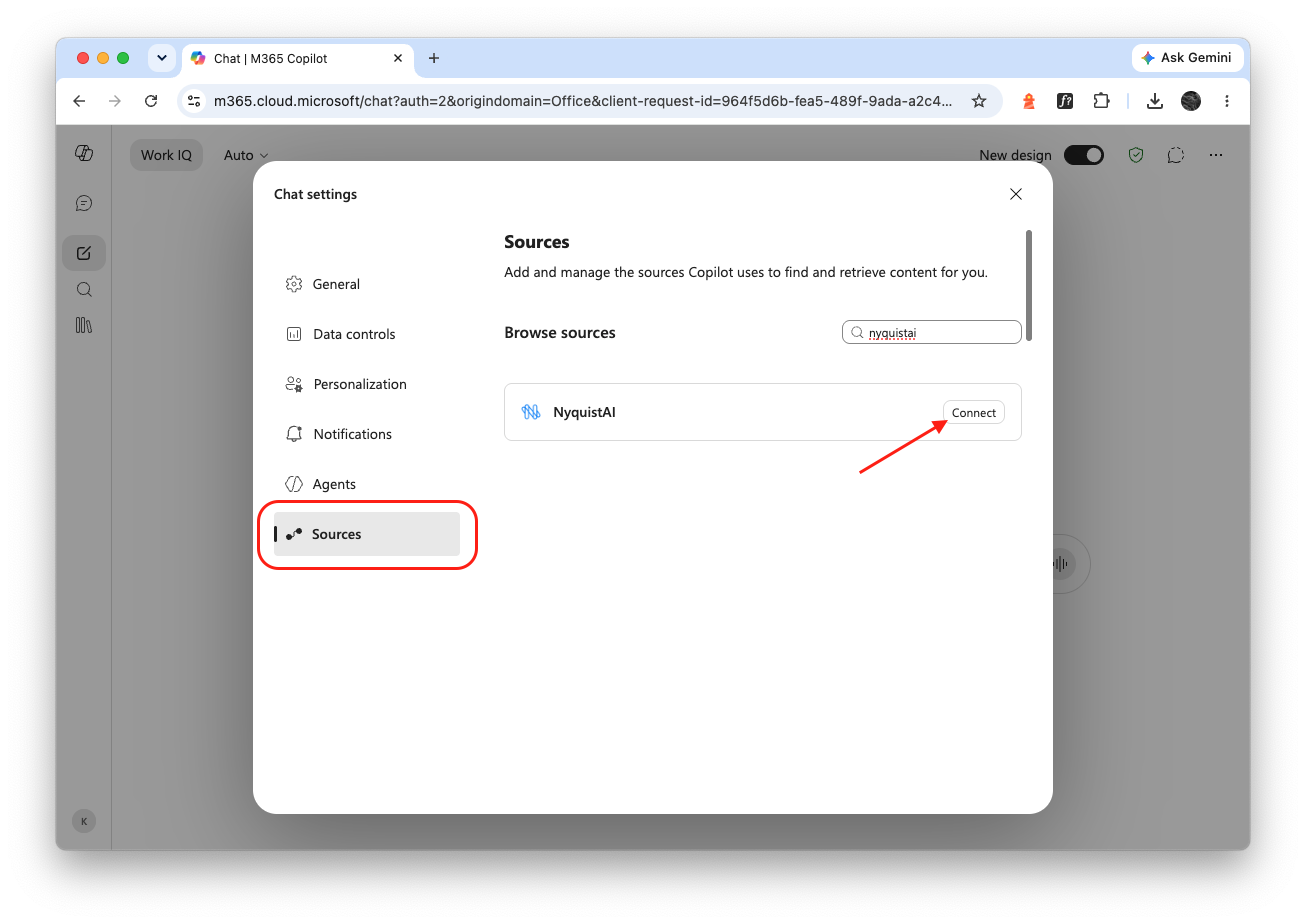
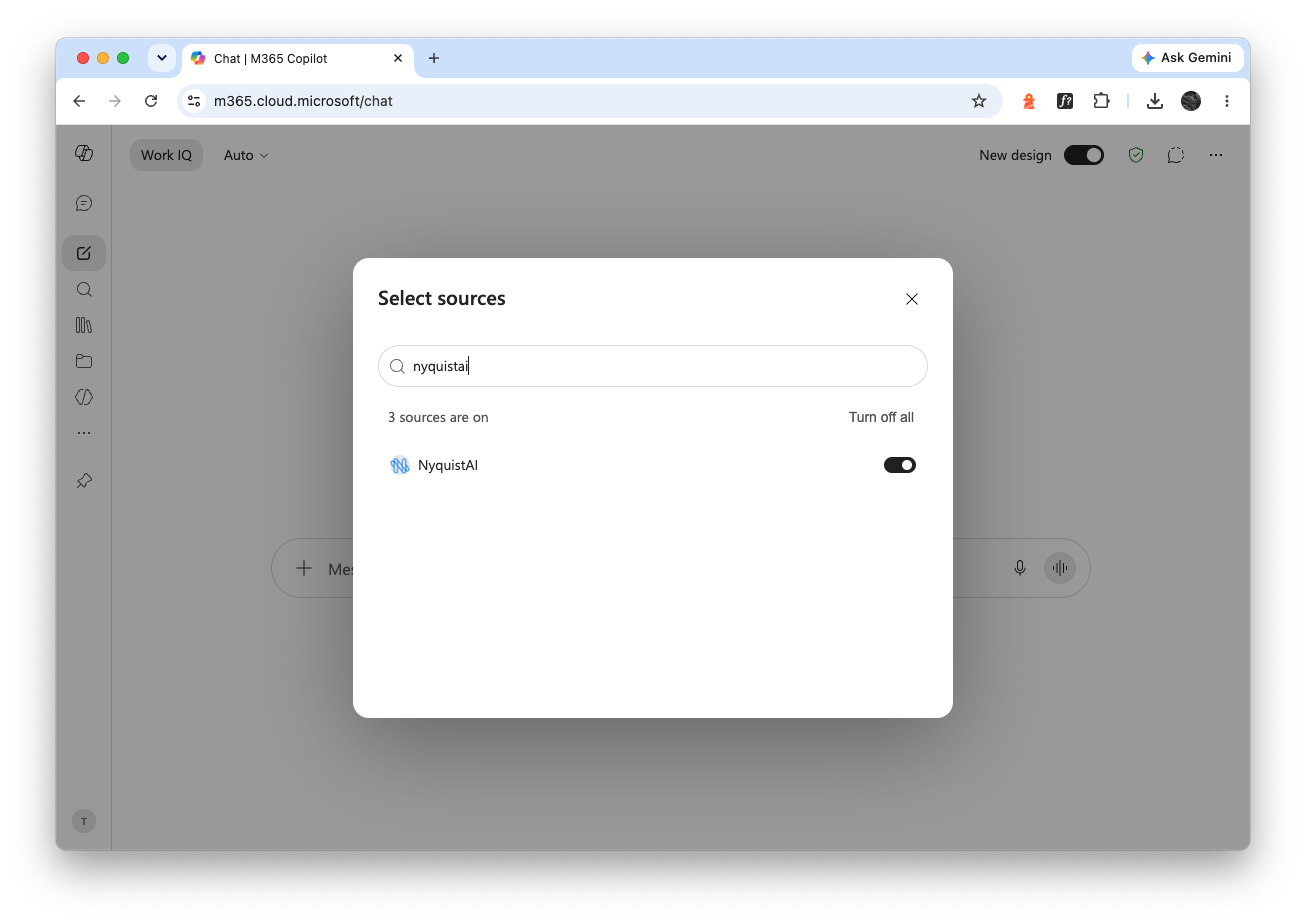
- Search for NyquistAI and click Connect. You will be redirected to the login page and you can use your NyquistAI account to login.
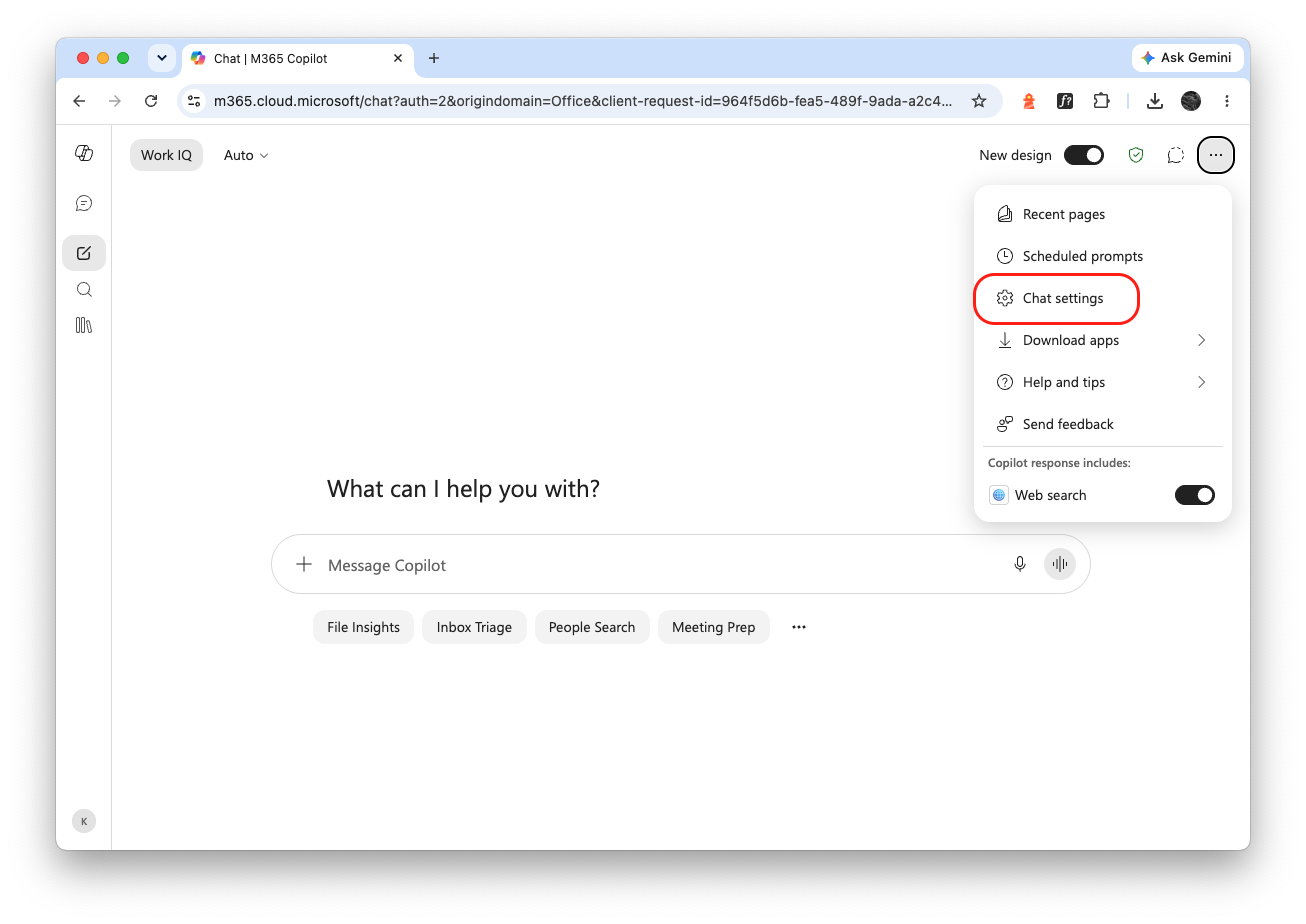
- If you didn't see Change data sources, you are using the classic UI of Microsoft Copilot. Please click the three dots at the top-right corner and you will see Chat settings.
- You can find NyquistAI under Sources. Please click Connect and you will be redirected to the login page.