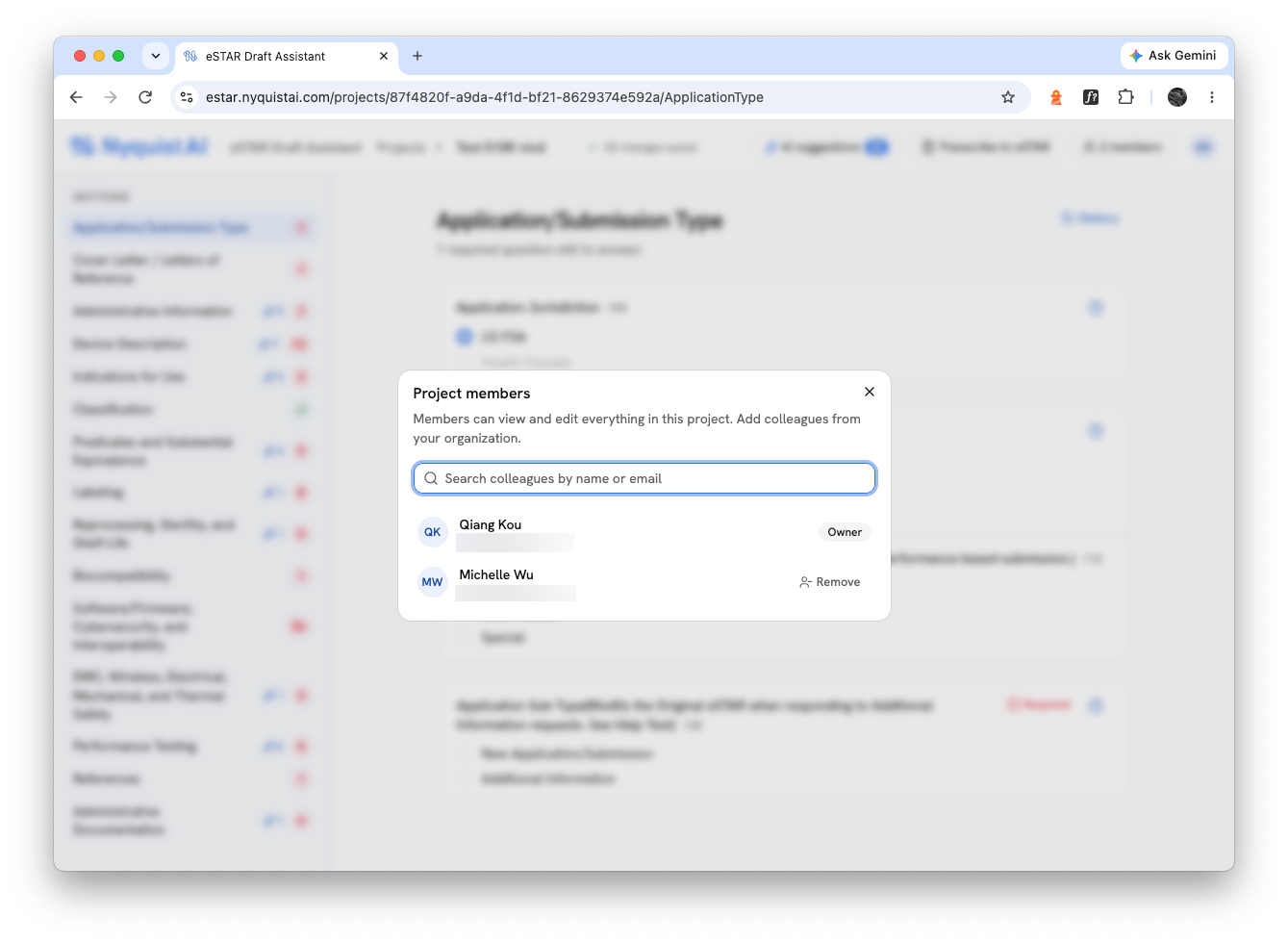
The eSTAR Draft Assistant runs FDA's eSTAR logic in your browser, so your team can draft a 510(k), De Novo, PMA or Pre-Submission side by side, without passing a PDF around. AI suggests answers from your documents and audits your attachments against your answers. Every suggestion and every finding quotes the page it comes from.
Supports nIVD eSTAR 7.1, IVD eSTAR 7.1 and PreSTAR 3.1.
The problem
eSTAR guides you through every question FDA expects, but it lives in a single PDF that only one person can edit at a time, in Adobe Acrobat. Teams email versions back and forth, lose track of who changed what, and find out late that the trade name on the label doesn't match the one in the form.
NyquistAI eSTAR Draft Assistant gives that work a shared home.
How it works
Create a project, pick the template, and answer section by section. The questions, help text and branching are eSTAR's own: choose a Traditional 510(k) and the right sections appear, exactly as they would in the PDF.
Upload your device documents and get suggested answers, each with the passage it comes from. Before you submit, run an AI audit to catch answers your attachments contradict.
Download your answers and import them into the official eSTAR with its Import Data button. Every answer is entered at once. Attachments come as a ZIP, with each file named the way eSTAR accepts and a list showing where it goes.
FDA's own logic
The assistant runs the scripts inside FDA's eSTAR template, the same ones Acrobat runs. Questions show and hide as they do in the PDF, dependent lists fill in (a medical specialty's regulations, a regulation's product codes), and each section shows how many required questions are still open. When eSTAR would ask you to confirm something, the assistant asks too.
Section-by-section navigation with completeness counts
eSTAR's help text next to each question
Attachment checks eSTAR applies: file types, size limits, file names it accepts
New template versions added as FDA releases them
AI suggestions
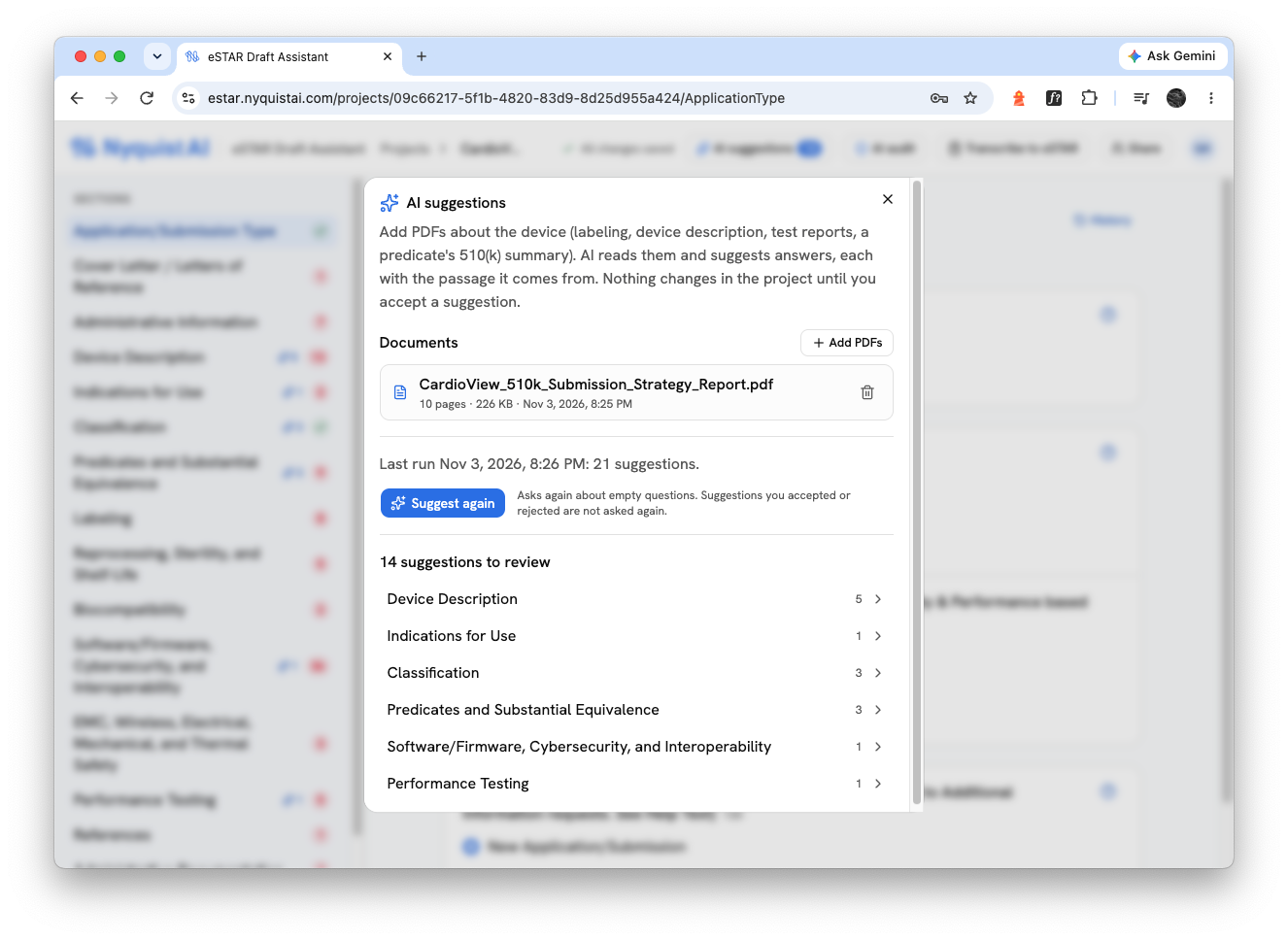
Upload labeling, a device description, test reports or a predicate's 510(k) summary. AI reads them and suggests answers to the questions they answer, working through the eSTAR the way you would: once it knows the submission type and the device's classification, it moves on to the questions those answers open up.
Every suggestion cites its source. The value, the quoted passage, and a link that opens the PDF at that page.
Quotes are checked in code. A suggestion is shown only if its quote is really in your document and its answer is one eSTAR accepts. Low-confidence suggestions are not shown.
You stay in control. Nothing changes until you accept a suggestion. Accepting is a normal save, marked in the history as an AI suggestion. Suggestions never overwrite an answer.
AI audit
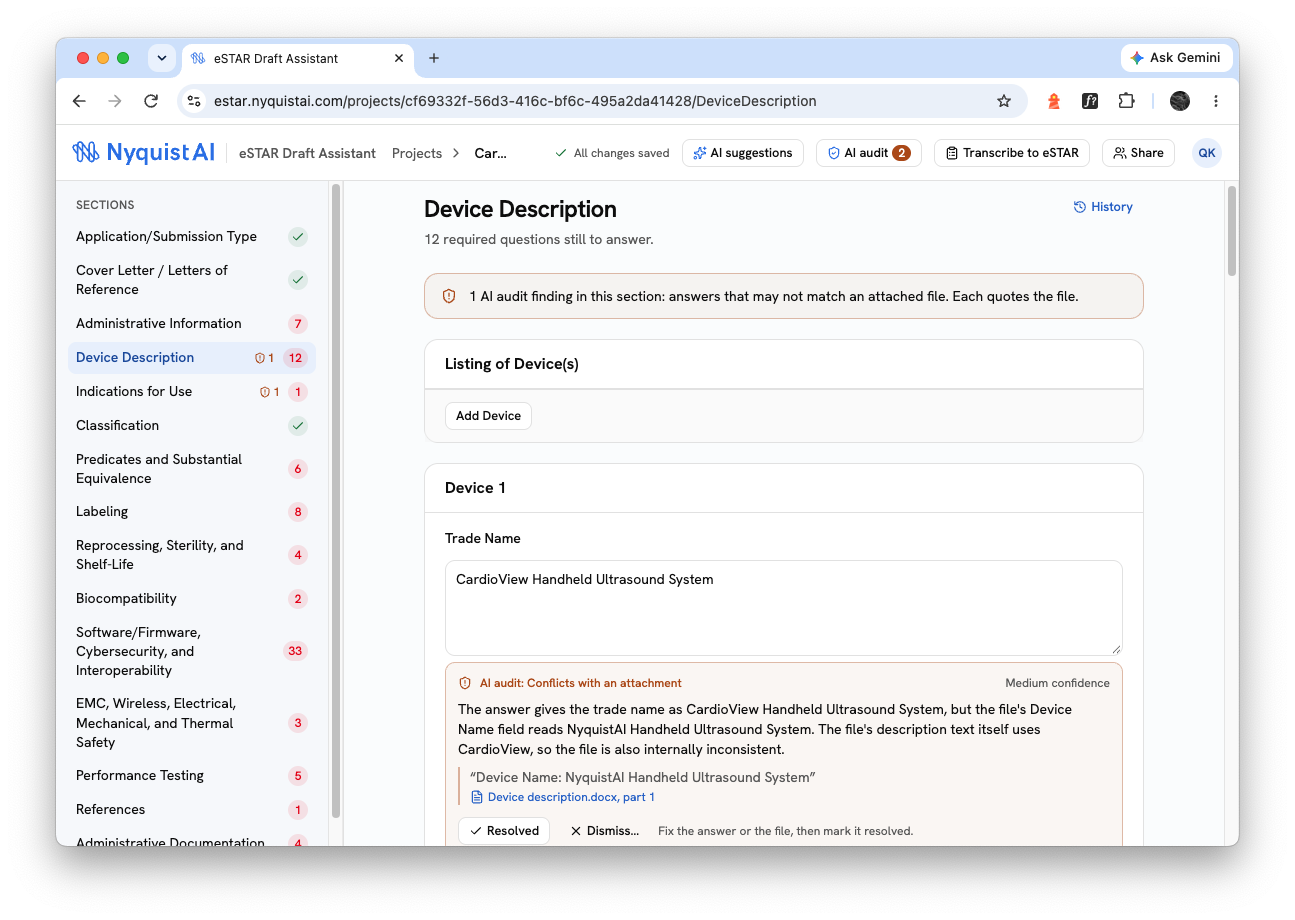
A trade name that differs between the form and the label. A predicate number with one digit off. A country left at the default for a company based abroad. These small mismatches lead to deficiency letters, and they're easy to miss in a submission with dozens of attachments.
The AI audit reads each attached PDF and Word file and checks it against your answers.
Findings you can verify. Each one says what the answer states, what the file states, and quotes the file with its page.
Scanned pages included. Pages without text are read with OCR.
Built to avoid false alarms. A file that doesn't mention something isn't flagged; "3 years" and "36 months" aren't a conflict. Every quote is checked against the file.
Your decision, on the record. Mark a finding resolved, or dismiss it with a reason. Dismissed findings aren't raised again unless the answer or the file changes.
Teamwork
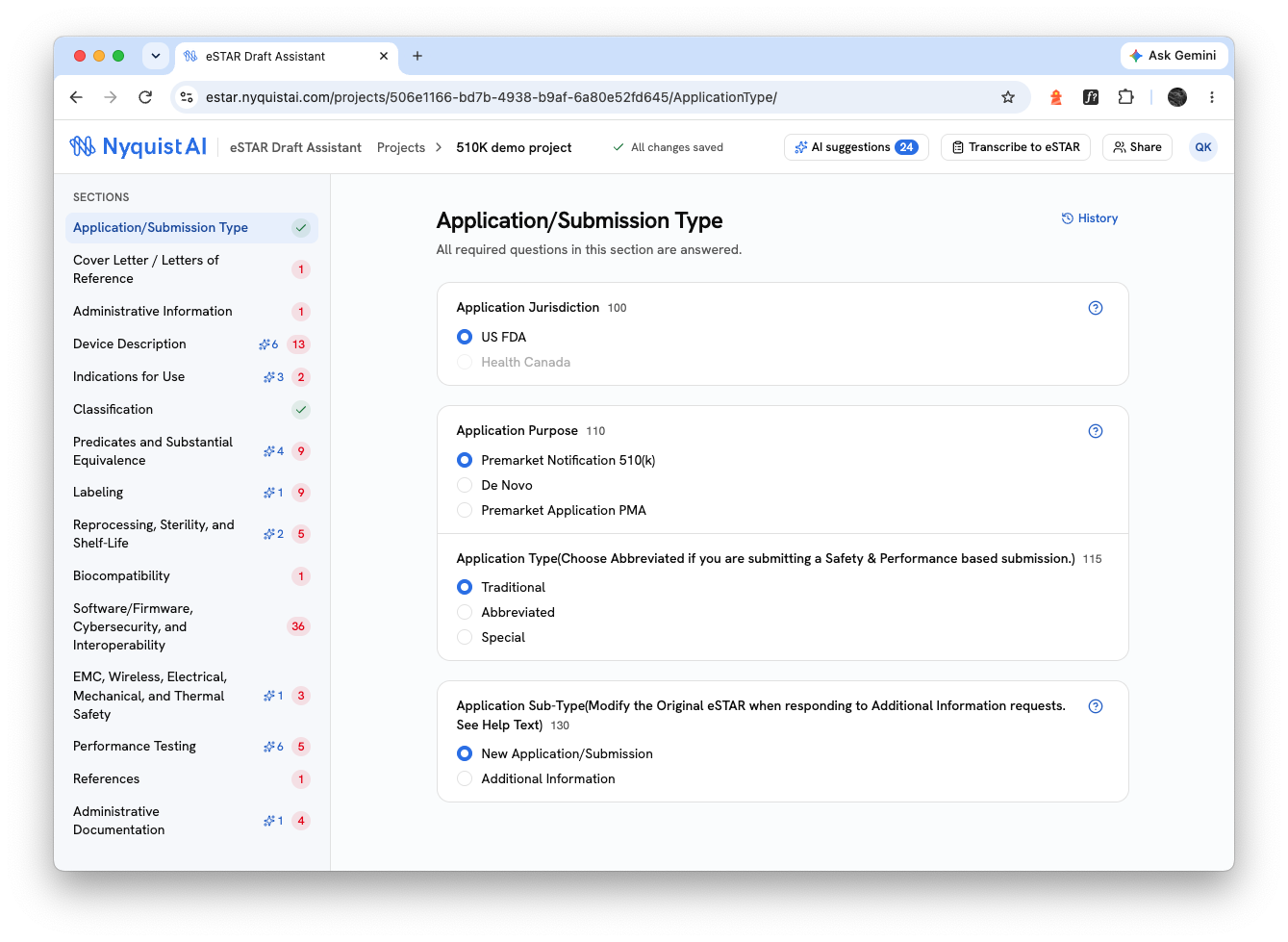
Shared projects. Invite colleagues from your organization; everyone on the project can edit.
See who's where. Live presence shows who is working in which section, and changes appear for everyone as they're saved.
No silent overwrites. If two people change the same answer, the second person sees the conflict and decides.
Full history. Every saved change is kept per section, with who made it and when, including which answers came from AI.